
I've talked to a lot of hiring managers and recruiters over the years.
What they tell me is consistent: they scan a LinkedIn profile in under 10 seconds. And in that window, a few specific things determine whether they keep reading or move on.

Here's what they're actually looking at, and what you can do about it.
At a Glance: What Recruiters See First
Profile photo
Headline
Current job title
Company
About section
Recent activity
Featured content
The First 10 Seconds of a LinkedIn Profile
Recruiters aren't reading your profile the first time through. They're scanning it.
LinkedIn is used by hundreds of thousands of hiring professionals every single day. When a recruiter is reviewing dozens of profiles for one role, they're not starting with your work history. They're making a fast visual judgment: is this profile worth a deeper look?
Here's how that plays out in real time:
Your profile photo registers before anything else. It's the largest visual element on the page. In under a second, the viewer has already formed an impression of whether this person looks professional, approachable, and trustworthy.
Your headline is what they read next. It sits right beneath your name in search results and at the top of your profile. It tells them immediately whether you might be a match for what they're looking for.
Your current role and company confirm whether your experience level is in the right range. This is often the moment they decide to keep reading or not.
Your About section either hooks them or loses them. Most recruiters won't click "see more" unless the first sentence gives them a reason to.
Activity, featured content, and recommendations are secondary signals. They reinforce credibility once someone is already interested. They rarely save a profile that lost them in the first four steps.
I've heard it said directly by people who hire, "If the profile photo isn't professional, we'll often move on." That's not judgment. That's just how fast first impressions work.
Why Your Profile Photo Sets the Tone
Your LinkedIn headshot isn't just a formality. It's doing real work before anyone reads a single word about you.
People assess trustworthiness and competence from a face in fractions of a second. Those assessments happen automatically, before any conscious evaluation begins. In a hiring context, your profile photo is carrying four jobs at once.
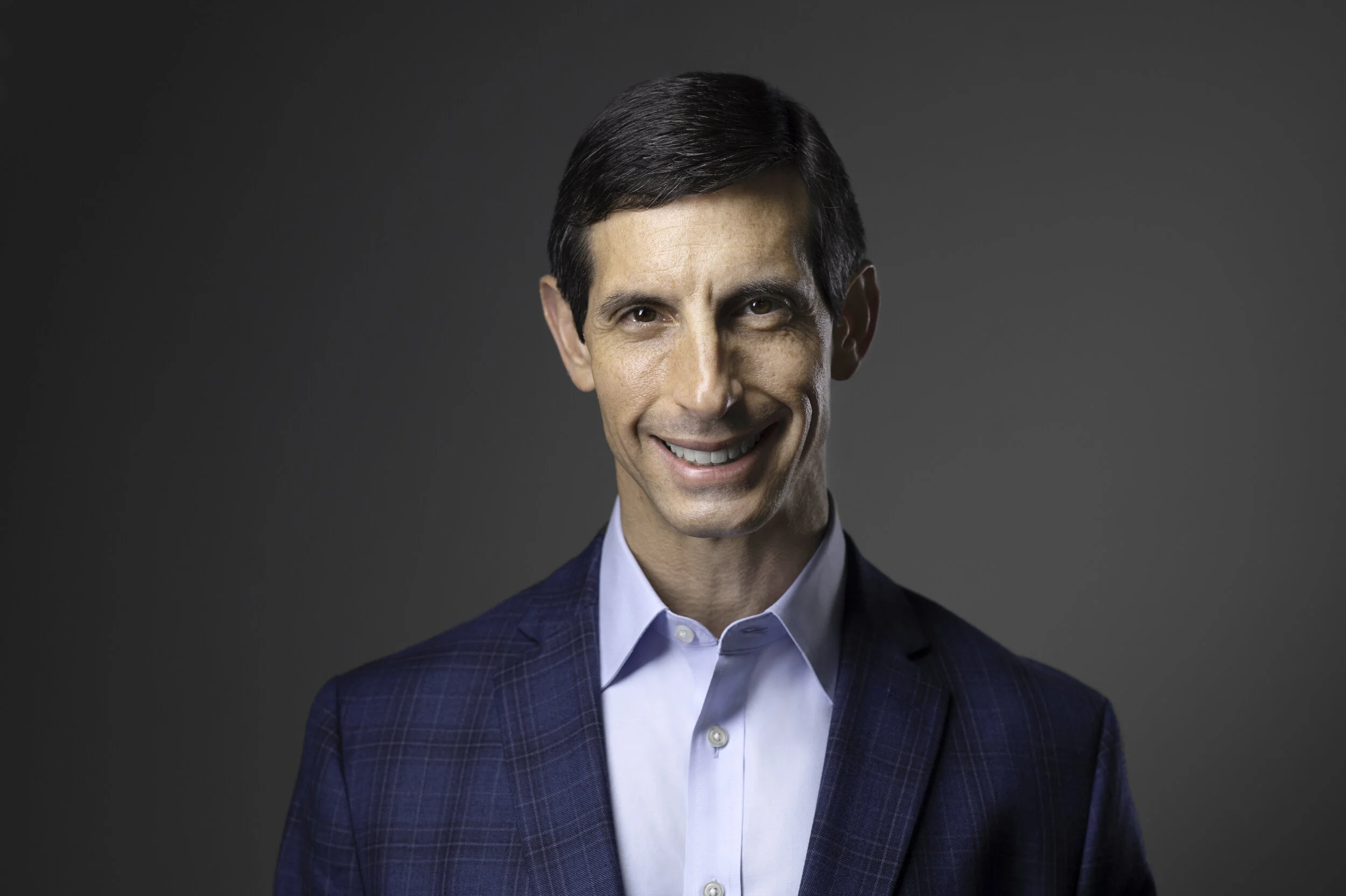
Professionalism
Does this person take themselves seriously? A clear, well-lit, professional headshot says yes. A cropped party photo, a blurry selfie, or a photo from ten years ago says something else.
Approachability
Hiring managers want to work with people who seem like they'd be easy to work with. A warm, genuine expression signals exactly that. A stiff or forced one creates distance before a conversation ever happens.
Confidence
How you carry yourself in a photo translates directly to how you're perceived professionally. Eyes engaged. Posture open. Expression natural. These are the signals I work to bring out in every session.
Brand consistency
If you look noticeably different in your photo than you do in person, it creates a gap. And gaps, even subtle ones, chip away at trust before a conversation ever starts.
LinkedIn's own research shows that profiles with professional photos receive 21 times more profile views and up to 9 times more connection requests than profiles without one. And within that group, quality matters. A professional headshot and a casual snapshot are not the same thing. Recruiters know the difference the moment they see it.
Beyond the Headshot: What Recruiters Check Next
Once your photo and headline pass the initial scan, here's where their attention goes.
Your Headline
This is the most underused real estate on LinkedIn.
Most people default to their job title. That's not a strategy.
A strong headline tells a recruiter who you are, what you do, and why it matters in 220 characters or fewer. It also has to include the keywords they're actually searching for, because if your headline doesn't match what they type into LinkedIn's search bar, you won't appear in their results at all, no matter how strong your experience is.
Compare these two:
Marketing Manager at Acme Corp
vs.
B2B Marketing Manager | Demand Generation | SaaS | Helping Revenue Teams Build Pipeline
One gets found. The other doesn't.
Your Experience Section
Recruiters aren't reading every bullet point on the first pass. They're scanning company names, titles, and tenure. They want a coherent story.
Unexplained gaps, vague titles, and missing information creates friction. Specific, measurable accomplishments keep them reading.
Skills
LinkedIn's algorithm surfaces candidates based on the skills listed on their profiles. An incomplete skills section means you're invisible for searches that should have found you. Keep it current and aligned with your target roles.
Recommendations
These are underrated by most people.
A recommendation from a direct manager or senior colleague is a form of social proof that carries real weight. Even one or two strong recommendations can set your profile apart from someone with nearly identical experience.
Featured Section
This is where you show what you've actually built, not just where you've worked.
Case studies, published articles, portfolio pieces, speaking clips, press coverage. Recruiters for senior roles pay attention to this section. Use it.
Recent Activity
Thoughtful posts and shares signal that you're active in your field and paying attention to your industry. This matters more than most people realize, especially for leadership and public-facing roles.
Common LinkedIn Mistakes That Cost Interviews
These are the things I see consistently on profiles that aren't getting traction.
Selfies or casual photos
A photo from a wedding, a vacation, a backyard barbecue, even if you looked great in it, is not a professional headshot. It signals that you either don't know the difference or you don't care enough to present yourself professionally on a professional platform.
Outdated information
Your current job title, company, and experience need to be accurate. A recruiter who reaches out based on your profile and discovers the information is stale isn't going to move forward.
Generic or empty headlines
"Open to work" is not a headline. Your job title alone is not a headline. Your headline should function as a personal brand statement and a keyword strategy at the same time.
Incomplete profiles
LinkedIn's algorithm favors complete profiles. Missing sections and sparse descriptions reduce how often your profile appears in search results, and reduce your credibility with the humans who do find it.
Inconsistent branding
If your LinkedIn photo looks nothing like your company website headshot, or your speaker bio, or your consulting profile, that inconsistency creates doubt. Your visual brand should feel coherent across every platform where you show up professionally. I always encourage clients to use photos from the same session, or at minimum, sessions that are close in time, across all their professional platforms.
How to Make Your LinkedIn Profile Recruiter-Ready
Run through this before you start applying or networking actively.
Profile Photo
● Professional headshot, not a selfie or casual photo
● Current: taken within the last 2 to 3 years
● Well-lit, sharp, and clear
● Confident, warm expression
● Background that doesn't compete with your face
Headline
● Goes beyond your job title
● Includes keywords relevant to your target roles
● Communicates your value clearly
● Under 220 characters
Banner Image
● Not the default LinkedIn blue background
● Something that reinforces your professional brand
About Section
● First sentence hooks the reader immediately
● Written in first person
● Covers what you do, who you help, and what makes you different
● Ends with a clear next step
Experience
● All current and recent roles are complete
● Accomplishments are specific and measurable
● No unexplained gaps
Skills
● At least 10 to 15 relevant skills listed
● Aligned with the keywords in your target roles
Featured Content
● At least one strong piece of work visible here
Recommendations
● At least 2 to 3 from managers, colleagues, or clients
The Connection Between Your Headshot and Everything Else
Here's what most people miss.
A weak profile photo undermines everything else on the page.
It's not that your experience stops mattering. It's that the recruiter's brain has already placed you in a category before they get to it. We process images before we process words. A professional LinkedIn headshot resets that first impression in your favor, before they've read a single line of your background.

I've worked with executives, entrepreneurs, job seekers, and career changers across Montgomery County and Washington DC for years. The professionals who invest in a current, professional headshot consistently show up differently in job searches and networking. Not because the photo is magic, but because it's the first visible signal of how seriously they take their professional identity.
The rest of the profile builds on that foundation. If the foundation is off, everything else has to work harder.
Learn about LinkedIn headshot sessions
Your LinkedIn profile is working for you, or against you, every hour of every day.
The photo sets the tone. The headline opens the door. Everything else either builds on that foundation or quietly undermines it.
Start with the headshot. Everything else gets easier once that piece is right.
Book your LinkedIn headshot session
Related: What Makes a Great LinkedIn Headshot? | Signs It's Time to Replace Your Professional Headshot | Personal Branding Photography
Frequently Asked Questions
What do recruiters notice first on LinkedIn?
Your profile photo. It registers before anything else on the page and shapes the lens through which everything else is evaluated. After the photo, recruiters typically scan the headline, current role, company, and the opening of the About section, all within the first 10 seconds.
Does a professional headshot actually increase LinkedIn profile views?
Yes, significantly. LinkedIn's own research shows that profiles with professional photos receive 21 times more profile views and 9 times more connection requests than profiles without one. The quality of that photo matters too. A professional headshot and a casual snapshot are not equivalent in how they perform or in how they're perceived.
How important is the LinkedIn headline?
It's the second most important element on your profile. Your headline appears in search results, recruiter searches, connection requests, and every notification you generate. It's also one of the fields LinkedIn's algorithm indexes most heavily. A keyword-rich, specific headline gets you found. A generic one buries you.
Should I smile in my LinkedIn photo?
A warm, genuine expression is almost always the right call. It communicates approachability and likability, the two things that matter in hiring decisions, even at senior levels. The key word is genuine. A forced smile reads as forced. What you want is an expression that looks like you at your best. Expression coaching is a big part of what I do in every session, and it makes a much bigger difference than most people expect.
Can recruiters tell if a LinkedIn photo is a selfie?
Yes, usually. Selfies have telltale qualities: an angle that comes from holding a phone, inconsistent lighting, a background that reads as casual. Professional headshots are lit, framed, and composed with intention. That difference is visible and it's processed immediately.
How often should I update my LinkedIn profile?
I'd recommend reviewing your headline, experience, skills, and featured content at least twice a year. Your profile photo should be updated every 2 to 3 years, or whenever your appearance or professional identity has changed significantly. If your photo no longer looks like you, every single person who visits your profile is experiencing that mismatch.
What profile mistakes reduce interview chances the most?
An unprofessional or outdated profile photo is the most common and the most costly. After that: a vague or missing headline, an empty About section, incomplete skills, and no recommendations. These aren't just cosmetic issues. They affect how LinkedIn's algorithm surfaces your profile and how seriously recruiters take you when they do find it. Fix the photo first. Build from there.